

TENS Pain Management.
Electrical stimulation programs for selected pain-management applications.



Advanced Pain Relief. Personalized Muscle Therapy.
Experience versatile electrotherapy with the Chattanooga® Continuum™ Kit, combining TENS pain management and NMES muscle stimulation in one compact, portable device. Featuring customizable treatment programs and a convenient hand switch, Continuum supports targeted pain relief, muscle activation, and rehabilitation—both in the clinic and at home.
Key Benefits
*Authorized Chattanooga Distributor

Authorized Dealer
Genuine Chattanooga devices, including the Continuum Kit with Hand Switch.

Hand Switch Included
Includes the hand switch accessory for convenient operation and control.

HSA/FSA Eligible
Qualifying products may be purchased using HSA/FSA funds.
Independent Dual Channels (1+1 Function): Operate two distinct programs at the exact same time. Treat two separate anatomical areas or pair TENS pain relief with NMES strength protocols in a single session.
13 Preset Programs + Custom Regimen: Includes 13 pre-programmed clinical routines alongside customizable slots to adjust treatment time, pulse width/rate, cycle times, ramp times, and waveform symmetry (symmetrical vs. asymmetrical biphasic).
Handheld Remote Trigger Included: Comes standard with a hand switch to manually trigger contractions on demand—making functional rehabilitation, biofeedback, and timed exercise integration seamless.
Comfortable Motor Recruitment: Engineered with balanced waveforms that deliver the power required for true muscle re-education while keeping sensory discomfort to a minimum.
Gait Training Capable: Compatible with an optional heel switch to trigger muscle activation automatically during active step cycles.
Portable & Durable: Powered by standard AA batteries with a built-in belt clip, pull-out kickstand, and compact casing built for clinical movement and home exercise programs.
Channels: 2 Independent Channels (1+1 Capability)
Waveforms: Symmetrical & Asymmetrical Biphasic
Modes: NMES & TENSPrograms13 Presets, 2 Customizable
Dimensions: 4.5" x 3.3" x 1.26" (114 mm x 84 mm x 32 mm)
Weight: 8 oz / 226.8 g (with batteries)
Power Source: 2 x AA Alkaline or NiMH Batteries
+ Chattanooga Continuum™ Handheld Device
+ Patient-Controlled Hand Switch+ Set of 2 Lead Wires (Pin Cables)
+ Protective Transportation Pouch
+ User Manual & Practical Rehabilitation Guide
+ Integrated Belt Clip
(Requires 2 x AA Batteries)
Before you begin your first session, read the full instruction booklet included with your unit and keep it nearby for reference.
Step 1 — Preparation & Skin Setup: Clean the Application Site Wash the targeted skin area thoroughly with mild soap and water. Rinse and dry completely. Avoid applying lotions, oils, or powders prior to treatment, as they reduce electrode adhesion and conductivity. Inspect Equipment Ensure the unit is turned off before connecting any accessories. Check lead wires and electrodes for wear, fraying, or gel degradation.
Step 2 — Battery & Cable Setup: Insert Batteries Open the battery door on the back of the device and insert 2 AA batteries (alkaline or rechargeable NiMH), ensuring polarity (+ / -) matches the internal markings. Connect Lead Wires Insert the lead wire connectors into Channel 1, Channel 2, or both at the top of the unit. Attach Electrodes Push the pin ends of the lead wires firmly into the electrode connectors. Do not power the unit on until pads are applied.
Step 3 — Running a Therapy Session: Position Electrodes Place self-adhesive electrodes onto the prepared treatment area as prescribed by your clinician. Ensure Full Contact Press firmly around the edges of each pad to eliminate air pockets. Space pads at least 1–2 inches apart; never allow electrode pads to touch one another during operation.
Step 4 — Running a Therapy Session: Power On Press and hold the Power button (bottom center of the front panel) until the LCD screen illuminates. Select ProgramUse the soft keys to select your prescribed treatment program (NMES or TENS). If utilizing the 1+1 Function, configure Channel 1 (e.g., TENS for pain management) and Channel 2 (e.g., NMES for motor recruitment) independently. Set Therapy Time & Parameters Confirm or adjust the session timer, pulse rate, pulse width, and cycle times (ramp/work/rest) per your clinician's instructions. Adjust Intensity Press Start/OK. Gradually press the + (Increase) button for each active channel: For TENS: Increase intensity until a strong, comfortable tingling sensation is felt (without painful twitching). For NMES: Increase intensity until a smooth, visible muscle contraction occurs that remains within tolerable limits. Ending Session When the timer reaches zero, stimulation stops automatically. To stop manually at any time, press the Power or Home button.
Step 5 — Using the Remote Hand Switch: Connecting the Switch Plug the handheld remote trigger into the accessory jack on the unit before starting the session. Triggering Contractions: In active NMES modes, press and hold the hand switch button to trigger muscle stimulation manually. Use this during functional exercises. Release the button to transition to the rest phase.
Step 6 — Post-Treatment & Care: Power Off & Disconnect Turn off the device completely before removing electrodes. Electrode Removal Gently peel pads from the skin by the edge—never pull directly on the lead wires. Storage Re-apply pads to their plastic liners and seal them inside the airtight storage bag. Store the unit and accessories in the protective pouch away from direct sunlight or extreme heat.
ELECTROTHERAPY, MADE VERSATILE
Flexible stimulation technology designed for appropriately prescribed pain-management and muscle-stimulation programs.
Electrical stimulation programs for selected pain-management applications.

Controlled muscle stimulation for appropriate rehabilitation protocols.
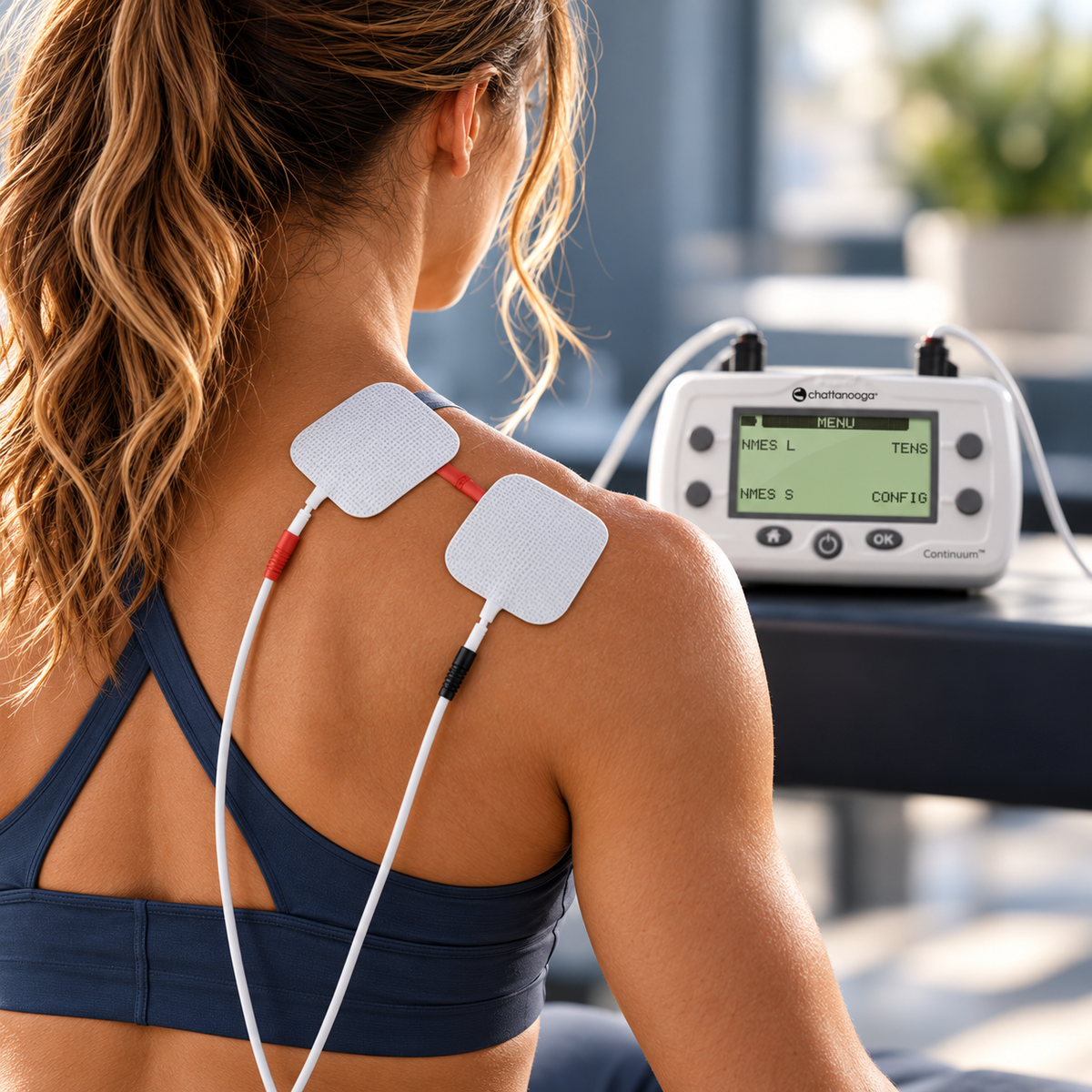
An included hand switch enables convenient triggering of stimulation in applicable programs.
THE IN GOOD HEALTH DIFFERENCE
Feel more confident in your everyday care with thoughtfully selected TENS technology, replacement electrodes, and practical solutions for pain management.
Backed by established medical equipment experience, we bring professional product knowledge, personalized guidance, and dependable service to your home-care journey.
Thoughtfully selected medical devices
Helpful guidance from real people
Genuine medical devices sourced through authorized manufacturer and distribution channels.
Non-invasive electrotherapy solutions for appropriate at-home pain-management needs.
Understand device features, treatment modes, and electrode compatibility before purchasing.
Helpful assistance with product questions, compatible accessories, and replacement electrodes.
Chattanooga Continuum Kit with Hand Switch
Advanced Pain Relief. Personalized Muscle Therapy.
Experience versatile electrotherapy with the Chattanooga® Continuum™ Kit, combining TENS pain management and NMES muscle stimulation in one compact, portable device. Featuring customizable treatment programs and a convenient hand switch, Continuum supports targeted pain relief, muscle activation, and rehabilitation—both in the clinic and at home.
Key Benefits
*Authorized Chattanooga Distributor